
When I facilitate a panel discussion, I usually spend most of my preparation time on the content: deciding what I want the audience to think about, developing the sequence of questions, anticipating follow-up questions, and figuring out how to move the conversation from one topic to the next.
What I do not particularly enjoy is the last step: turning all of that material into something I can actually use while standing in front of a room. Recently, I used ChatGPT to help with that final stage and I thought it might help others as well.
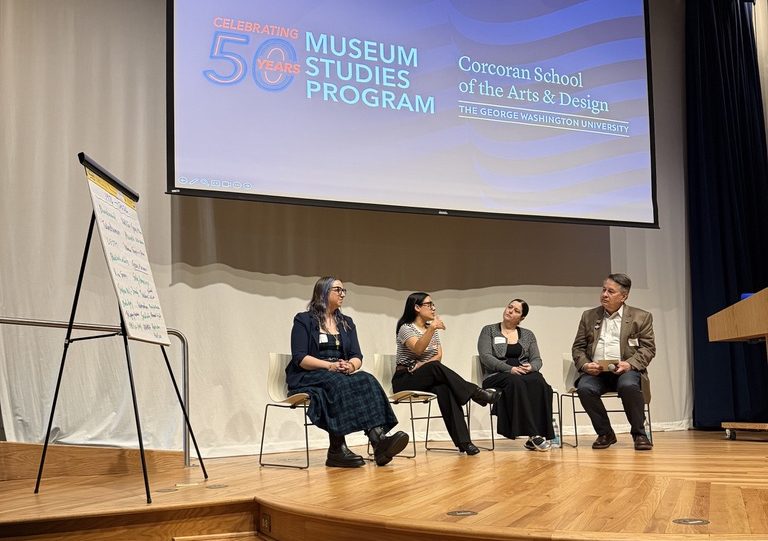
I was preparing to facilitate a panel discussion for the 50th anniversary of the George Washington University Museum Studies Program. The content was mine. I had developed the overall structure, selected the questions, worked out the audience exercise, and revised the language so it would sound natural when spoken aloud. By the time I was finished, however, I had about eight (8!) pages of talking points.
That was useful for planning, but not especially useful for facilitating. During a live discussion, I do not want to read from a script. I want to listen to the panelists, watch the audience, keep track of the time, and decide whether to probe more deeply or move on. Looking through eight pages of notes while doing all of that would have been awkward and increased the risk of losing my place.
So I asked ChatGPT a different kind of question: how should I physically prepare these notes so that I could stay organized during the session? (Yes, that was my actual prompt; AI has evolved in the last year so that “prompt engineering” is no longer essential.) It suggested using half-page sheets—5½ by 8½ inches—printed on cardstock, with one stage of the discussion on each card. Each card would have a large heading, the time allotted for that part of the session, the essential question or transition, and only a few optional follow-up prompts. That made sense to me, so I asked ChatGPT to format the talking points that way.
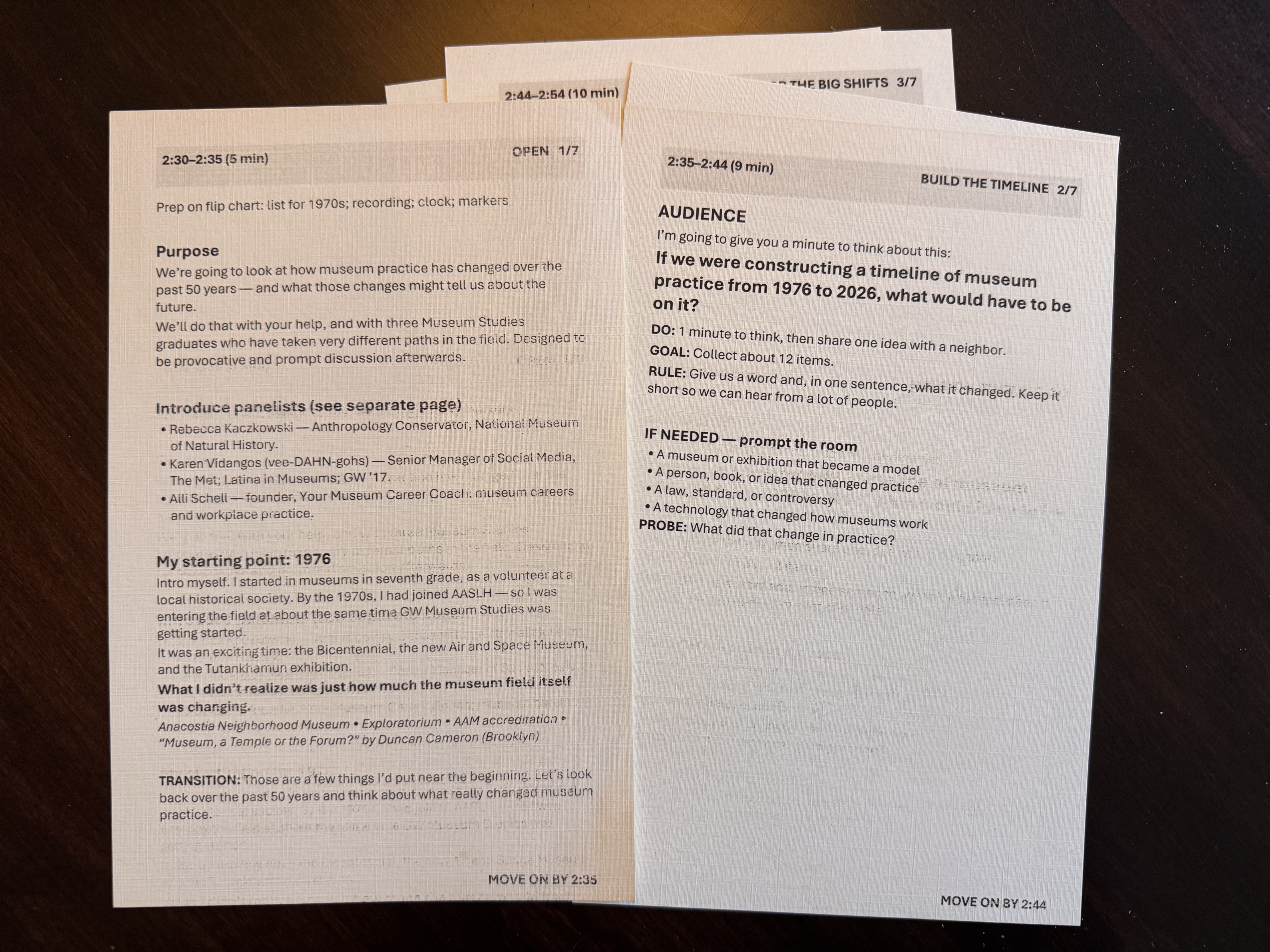
The result was a set of seven facilitator cards, one for each stage of the 45-minute session:
- opening and introductions
- audience timeline exercise
- panel discussion of larger shifts in museum practice
- discussion of what was missing from the timeline
- conversation about the capabilities museum professionals need
- implications for Museum Studies education
- closing question and transition
Each card also included a prominent “move on by” time, which was especially helpful because the session ran from 2:30 to 3:15 p.m. Instead of mentally calculating how many minutes had elapsed, I could simply glance down and see that I needed to move to the next section by 2:54 or 3:09 (although I also supplemented my time tracking with a Time Timer clock).
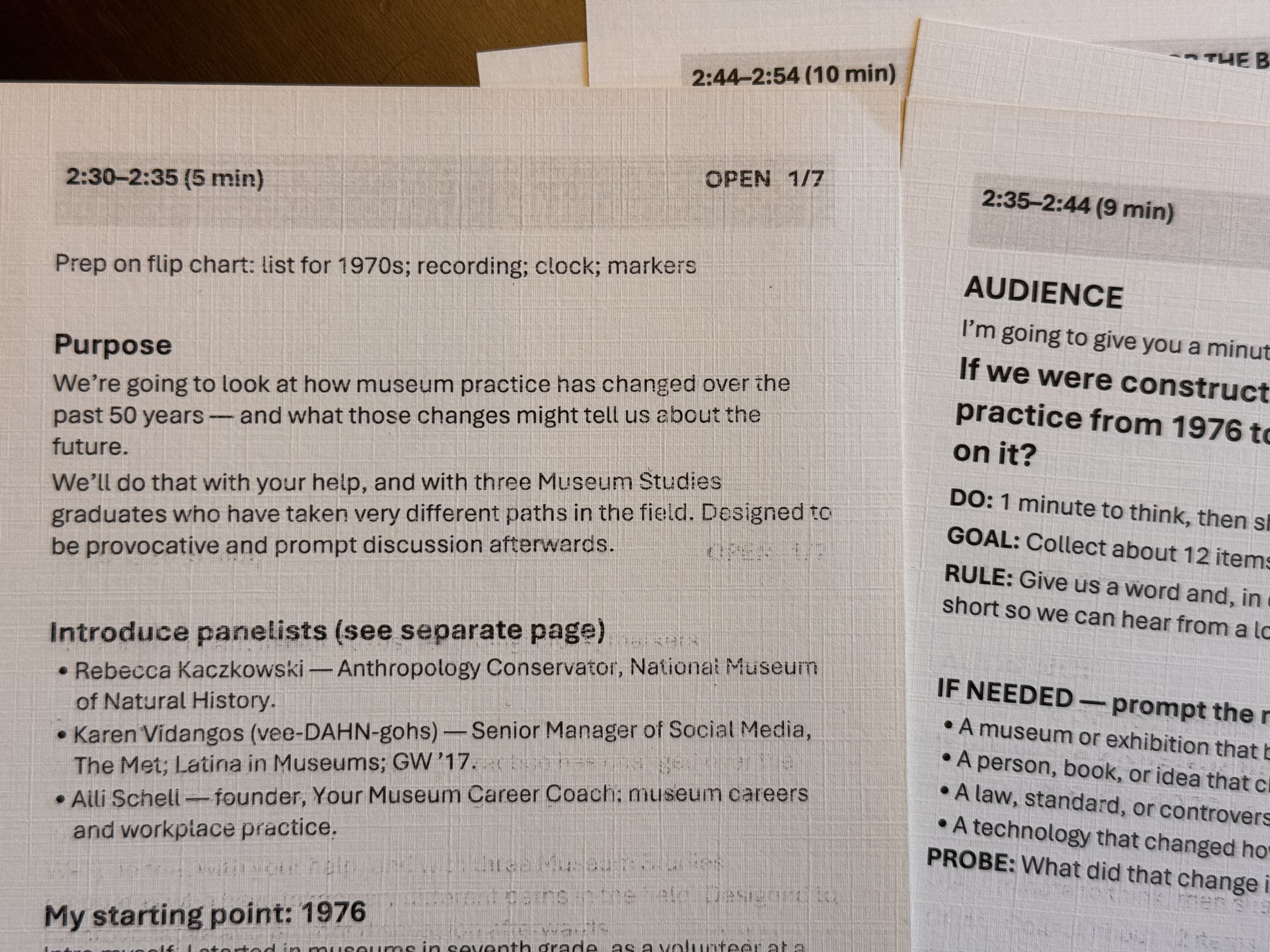
The most useful part of this process was not that ChatGPT wrote the session for me. It did not. I developed the content. ChatGPT helped me convert that content into a format better suited to the way I actually facilitate. That distinction matters.
There is a tendency to think about generative AI primarily as a writing tool: ask it to draft an article, write an email, create a summary, or generate questions. But some of the most useful applications may be much more mundane. AI can help reorganize, reformat, simplify, or transform work that you have already done.
In this case, the intellectual work remained mine: deciding what mattered, choosing the questions, determining the sequence, and shaping the discussion. ChatGPT helped with the production problem: how do I turn eight pages of planning notes into something I can glance at while still maintaining eye contact with a panelist?
The half-page cardstock format also forced an additional discipline (and kept my notes from flopping down!). There was not enough room for every possible question or idea. I had to distinguish between:
- what I absolutely needed to say,
- what I might ask as a follow-up,
- and what I only needed as a reminder if the conversation stalled.
That made the facilitation better.
It also reinforced something I often tell students and museum colleagues: the format of information affects how well we can use it. A well-developed plan can still fail if it is presented in a form that does not match the situation in which it will be used.
For anyone preparing to facilitate a panel, meeting, workshop, or public discussion, a useful workflow might be:
- Develop the content yourself first: the purpose, sequence, major questions, transitions, and likely follow-ups.
- Ask ChatGPT to review the language specifically for spoken delivery. Sentences that read well on paper are often too long or complicated when heard.
- Ask it to distinguish essential questions from optional probes.
- Give it the exact length and timing of the session.
- Ask it to reformat the material into half-page facilitator cards with one section per card.
- Include actual clock times—such as “move on by 2:54”—rather than only elapsed minutes.
- Print the cards on cardstock and keep the full notes nearby as backup.
The broader lesson for me was that AI does not have to replace the work of thinking. Sometimes its best use is much simpler: helping you take work you have already thought through carefully and turn it into a form that makes you better at doing the work.

